


PowerDirector - Video Editor
4.268.64K Reviews
App Specs
- Version
- 16.5.0
- Updated On
- License
- Free
- Downloads
- 100,000,000+
- Developer
- Cyberlink Corp
- Categories
- Video Players & Editors
- Platform
- Android, iOS
Screenshots
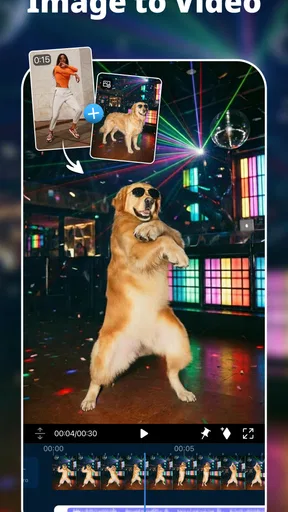
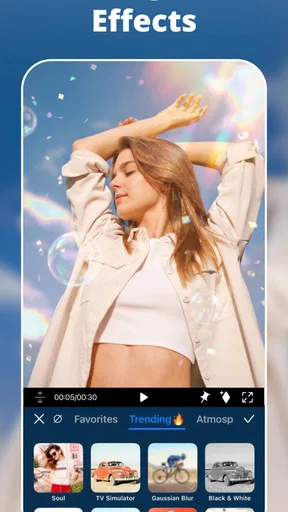
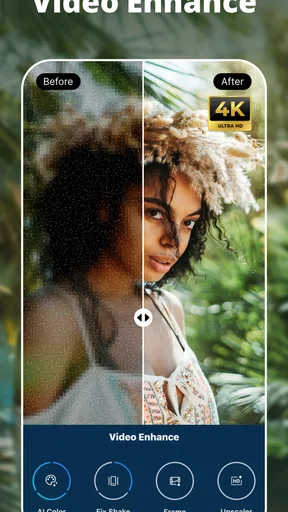
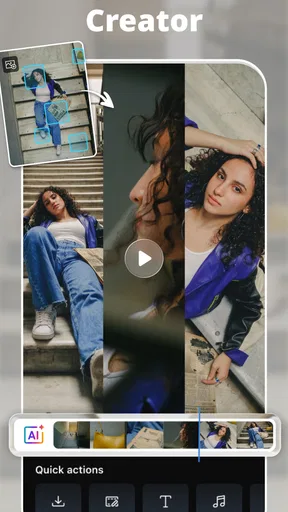

 Analysis by AppCompare
I tend to do my best video editing in short bursts: a few minutes while waiting for someone, then another pass later when I have a clearer idea of what the clip needs. That kind of stop-and-start workflow is where PowerDirector - Video Editor makes the most sense to me. It puts a fairly capable editor on a phone, but the experience still depends on practical things such as a steady connection for online resources and enough patience to review a project before exporting. If you want to turn everyday footage into a more deliberate video without moving straight to desktop software, it’s worth a look.
When an internet connection enters the workflow
PowerDirector is made by Cyberlink Corp and sits in the video editing category, where its appeal is the range of work it lets you do from a mobile device. The app’s AI effects and green-screen capabilities point toward more than simple trimming, but the usefulness of any effect or creative resource can depend on how it is accessed. I’d treat a reliable connection as helpful when exploring new creative options, rather than assume every part of the editing process behaves identically with or without one.
That distinction matters in real use. I might assemble clips I already have, then pause before choosing an effect or looking for an asset that could make the sequence feel more finished. If a resource takes time to load, I can keep working on the cut instead of letting that interruption dictate the whole session. My practical advice is to separate the edit into two passes: first decide the order and pacing of the footage, then explore effects and polish when the connection is behaving well.
A mobile editor for small, focused sessions
On a phone, the biggest advantage is being able to work close to the footage while the moment is still fresh. After recording a family gathering, for example, I can pick a few clips, remove the pauses, add a title or a little atmosphere, and make a shareable recap without first transferring everything to a computer. That is a better fit for a short personal video than an elaborate project with many rounds of detailed revision.
There is a trade-off: precision editing on a small screen asks for more attention than it does on a larger display. A timeline is useful for arranging shots, but tiny controls and a busy sequence can make fine adjustments feel fiddly. I’d keep phone projects organized around a clear goal—one event, one short story, or one social post—rather than try to manage a sprawling collection of footage in a single session.
Recovering gracefully when a session is interrupted
Mobile editing rarely happens in a perfect studio. A call, a low battery, or a change of location can break concentration, and a weak connection may slow down anything that relies on online access. I find it sensible to make decisions in small stages: choose the strongest clips, establish the sequence, then refine sound and visual details. That way, an interruption is less likely to leave me unsure what the project was meant to become.
Before exporting, I’d also watch the full edit from beginning to end rather than trust the timeline alone. This catches abrupt cuts, a voiceover that is too loud, or an effect that distracts from the subject. If the result is going to a social platform, checking the export options for the intended destination is a useful final step; a good edit can still feel off if its framing or quality doesn’t suit where it will be watched.
Worth Reading Before You Choose

Flipboard Shows What News Apps Must Do Beyond the Feed

Switching to Android Auto Means Rethinking Your Driving Routine

Google Calendar Makes a Crowded Week Easier to Manage

Ludo King Makes the Most of the Minutes Between Plans

Baby Panda World Brings Quick Play to Modern Phones, but Its Game Library Feels Busy

ESPN’s Live Game View Makes Following Close Games Easier
Keeping data use and project choices in mind
Editing on a phone can involve more than the footage itself: previewing online resources, sharing a finished file, and exploring creative options may all affect how much connectivity the workflow needs. I’d use Wi-Fi when I plan to browse or download resource-heavy material, and save mobile data for actions I actually need to complete. I’d also avoid repeatedly exporting test versions when a quick preview of the timeline can answer the question first.
The app is free to install, though it offers in-app purchases ranging from $0.99 to $249.99 per item. That wide span is a reason to check what a particular paid option does before committing, especially if I only edit occasionally. The free starting point makes it easy to see whether the workflow suits me, while frequent creators may decide that a paid addition is worthwhile for their own routine.
PowerDirector has an average rating of 4.2 from around 1.7 million ratings, with more than 100 million installs. Those figures suggest it has reached a broad audience, but they don’t tell me whether it fits a particular person’s editing habits. I’d pay more attention to whether I enjoy arranging clips on a phone and whether the tools I actually want are available in the way I expect.
Who will get the most from it
I’d recommend trying it if you regularly turn phone footage into short recaps, explainers, or social clips and want more control than a one-tap template usually offers. Its timeline approach is especially useful when the order of shots matters: a few seconds of setup, the key moment, and a clean ending can make ordinary footage feel intentional. Green-screen and AI effects also give curious users room to experiment, though they work best when they serve the video rather than become the whole point.
Someone who only wants to remove the start and end of a clip may find a basic built-in editor quicker. At the other extreme, a creator who needs exact control over a long, layered production may prefer desktop software, where a larger display and dedicated controls are better suited to extended work. I see this app between those two choices: more hands-on than a quick trimmer, yet convenient enough for a focused mobile project.
Getting Started with PowerDirector
First things first, downloading the PowerDirector app was a breeze. Available on both Android and iOS, it’s just a quick click away on the Google Play Store or the App Store. Once installed, I was greeted by a clean and intuitive interface that made me feel like a pro even before I’d started.
One thing I immediately noticed was how user-friendly the app is. For those who might be new to video editing, PowerDirector offers a fantastic tutorial right off the bat. It’s like having a friendly guide showing you the ropes, ensuring you don’t feel overwhelmed.
Diving into Features
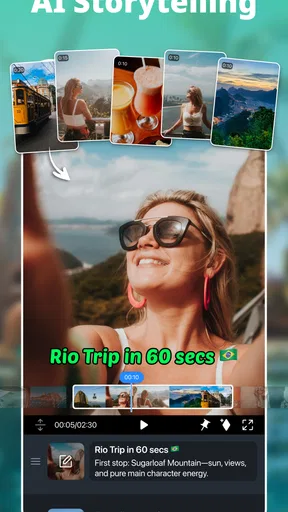
Now, let’s talk features. The app is packed with an impressive range of tools that cater to both beginners and more experienced editors. Whether you’re looking to trim, splice, or add some funky transitions, PowerDirector has got you covered. One of my favorite features is the timeline editing, which is surprisingly sophisticated for a mobile app. It allows you to cut and arrange clips with precision, making the editing process feel seamless.
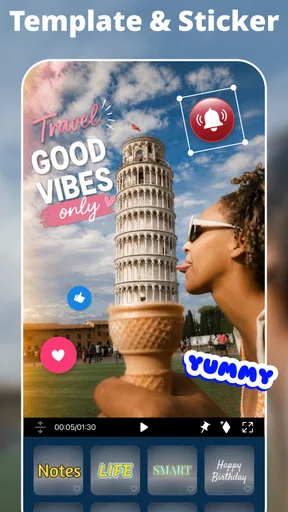
Of course, what’s video editing without some jazzy effects? PowerDirector doesn’t skimp on this either. With a plethora of filters, effects, and templates, you can easily transform your videos into something truly eye-catching. Whether you’re going for a vintage vibe or something more modern and sleek, the options are right there at your fingertips.
Sound and Music
Let’s not forget about sound. After all, good audio can make or break a video. PowerDirector offers a robust selection of royalty-free music tracks and sound effects that can really elevate your project. Plus, the app’s audio editing tools allow you to tweak volume levels and add voiceovers with ease. It’s like having a mini recording studio right in your pocket.
For a practical workflow, I’d get the dialogue or natural sound balanced before choosing a music bed. A soundtrack can make a montage feel polished, but it can also cover the small details that make a family clip or an instructional video clear. When recording a voiceover, I’d leave a little space at the start and end so it is easier to trim cleanly, then listen once on the phone speaker and once with headphones. That quick check can reveal audio that feels fine while editing but becomes hard to hear in a noisy room.
Sharing Your Masterpiece
Once you’ve crafted your masterpiece, sharing it with the world is a cinch. PowerDirector allows you to export your videos in up to 4K resolution, ensuring your creations look stunning on any screen. Plus, the app connects directly to social media platforms, so sharing your work with friends and followers is just a click away.
One little tip I found handy: make sure to check the export settings to optimize video quality for different platforms. It’s a small step that can make a big difference in how your videos are received.
For a useful everyday example, imagine filming a short cooking demonstration between errands. I’d trim the setup, keep the clearest view of each step, and use a close-up only where it helps explain what is happening. A voiceover can clarify a quiet moment, while restrained music can bridge gaps between shots. Before sharing, I’d watch the whole thing once for continuity and once with sound in mind. This is where the app’s combination of timeline editing and audio controls can be more helpful than a basic editor that only cuts clips and adds a preset.
Final Thoughts
Overall, I’ve been thoroughly impressed with PowerDirector - Video Editor. It’s a versatile tool that offers a perfect balance of simplicity and advanced features, making it suitable for both newbies and seasoned editors. Whether you’re looking to create a short social media clip or a more elaborate project, this app provides all the tools you need to bring your vision to life.
Its current version is 16.1.0, and it is listed for Everyone, with a minimum operating-system requirement of 9. Those details make it straightforward to check basic compatibility before installing. For anyone weighing alternatives, I’d choose a simpler built-in editor for a quick crop, and desktop software for demanding, long-form work; I’d choose this mobile option when I want a flexible timeline, effects, and audio tools in one place. The key question is not whether it can do everything, but whether its editing depth is worth the extra steps for the videos I make.
If you’re ready to unleash your inner filmmaker, give PowerDirector a try. It’s a fun, engaging, and powerful app that might just become your new favorite creative outlet. So go ahead, download it today, and start crafting your own cinematic masterpieces!
Pros
- Intuitive interface for quick editing.
- Extensive video effects library.
- Supports 4K video export.
- Multi-track timeline for complex projects.
- Fast rendering speeds.
Cons
- Watermark on free version.
- Ads in the free app version.
- Limited features without premium.
- Occasional app crashes.
- Large file size for installation.
FAQs for PowerDirector - Video Editor
What are the main features of PowerDirector - Video Editor?
PowerDirector offers a robust set of features including multi-track timeline editing, video stabilization, and a range of effects like slow motion and reverse. It also supports 4K video editing, voice over recording, and offers a library of stock photos and music. These features make it suitable for both beginners and advanced users.
Is PowerDirector - Video Editor free to use?
PowerDirector offers a free version with essential features, but it includes watermarked exports. For access to premium features such as advanced tools, stock libraries, and ad-free experience, users need to purchase the subscription. The premium plans provide a more comprehensive editing experience without restrictions.
Can PowerDirector edit videos in 4K resolution?
Yes, PowerDirector supports 4K video editing, allowing users to work with high-resolution footage. This feature is particularly beneficial for users who want to create professional-quality videos. However, users should ensure their device meets the necessary performance requirements to handle 4K editing smoothly.
What devices are compatible with PowerDirector - Video Editor?
PowerDirector is available for both Android and iOS devices. It requires Android version 5.0 and up, or iOS version 11.0 and later. It is optimized for smartphones and tablets, providing a seamless editing experience across different devices. Users should ensure their device software is updated for the best performance.
Does PowerDirector provide customer support or tutorials?
Yes, PowerDirector offers comprehensive customer support and a variety of tutorials. Users can access guides, FAQs, and video tutorials through the app and on the official website. This support helps users understand and utilize the app's features effectively, making it accessible for both new and experienced editors.


